
Create SQL Server Authenticated Login in SQL Server
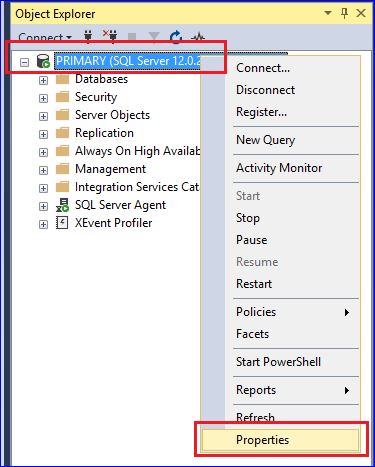
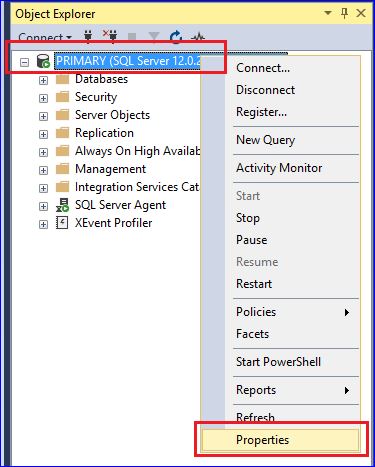
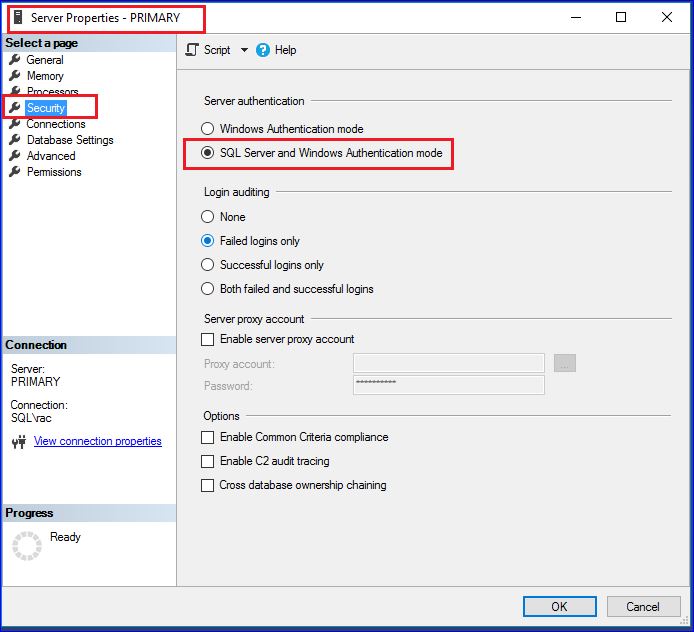
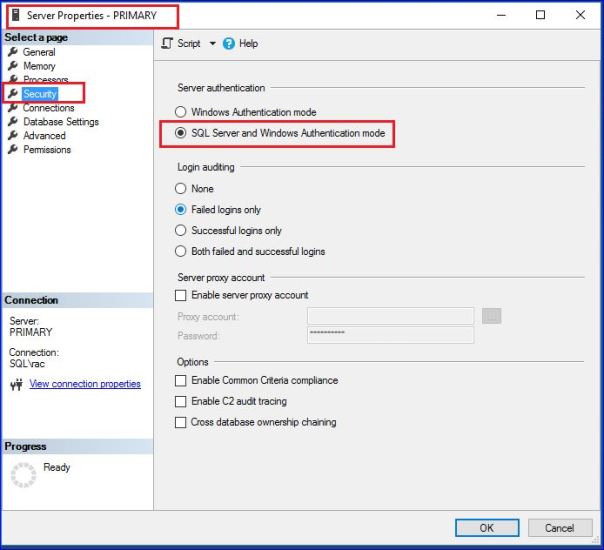
1. Verify Server Authentication mode
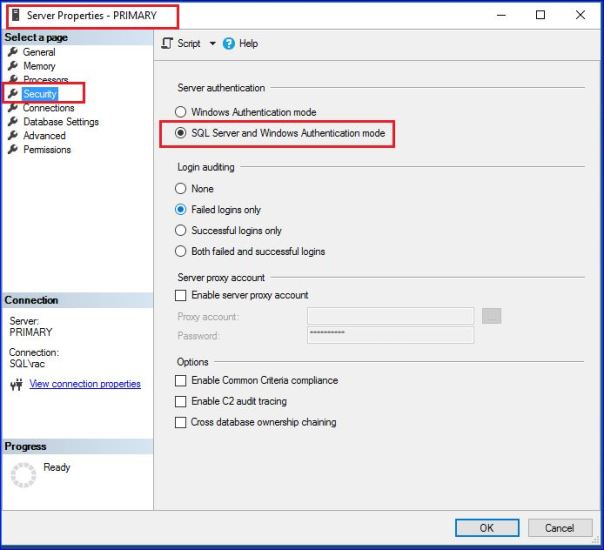
Server Authentication Mode must be set to "SQL Server and Windows Authentication Mode"

Please note: Change of Server Authentication Mode must need SQL Server restart.
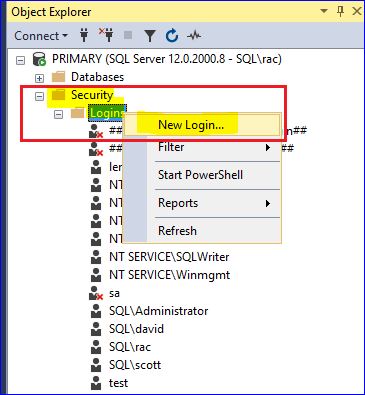
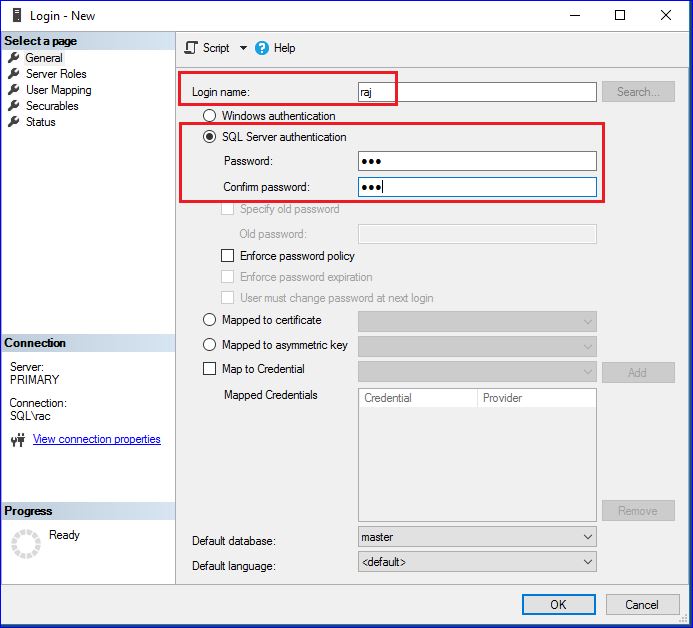
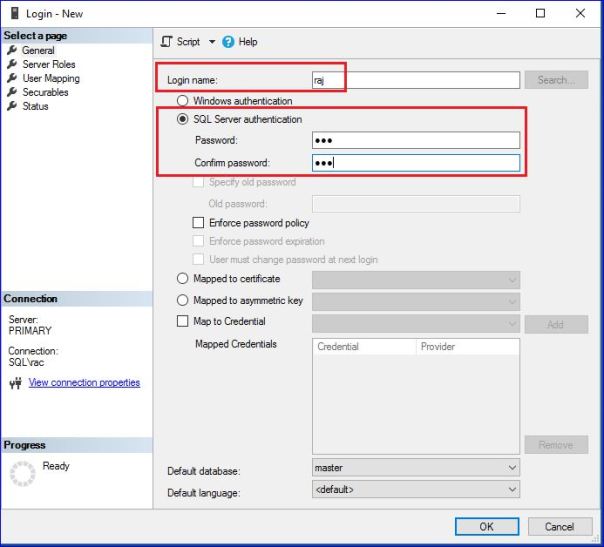
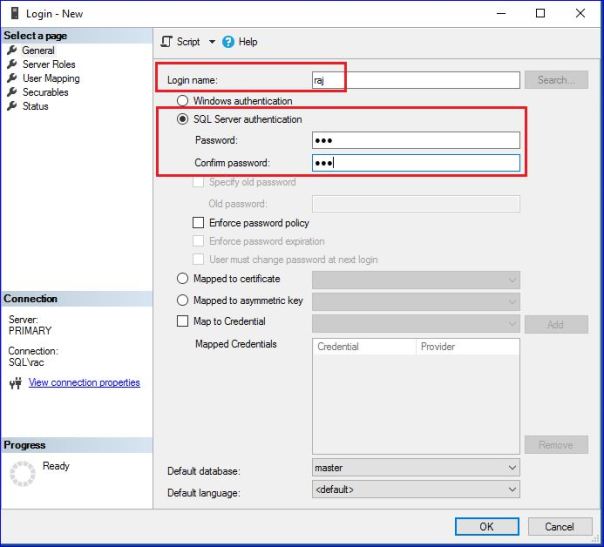
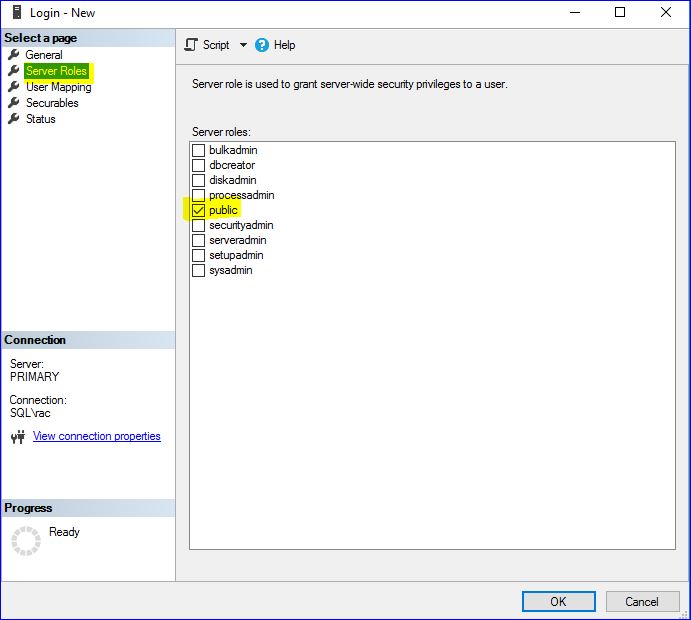
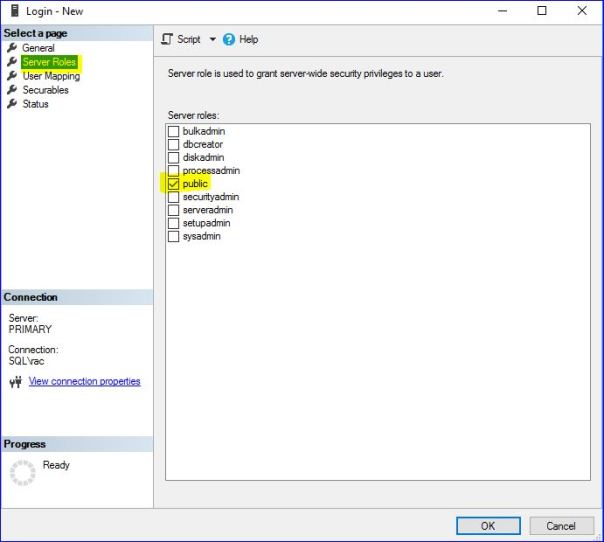
USE [master]
GO
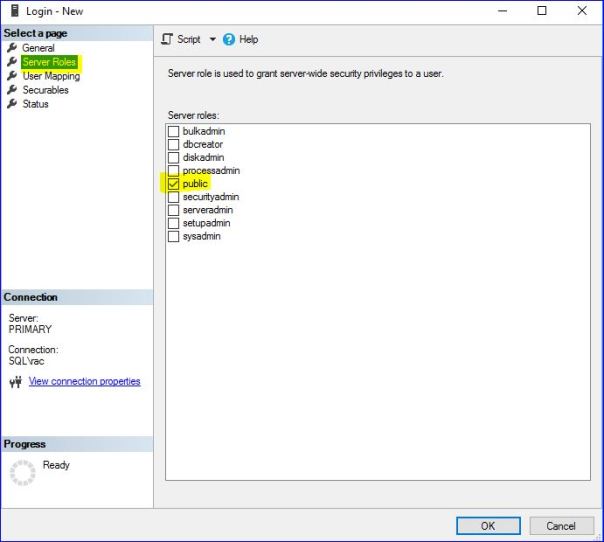
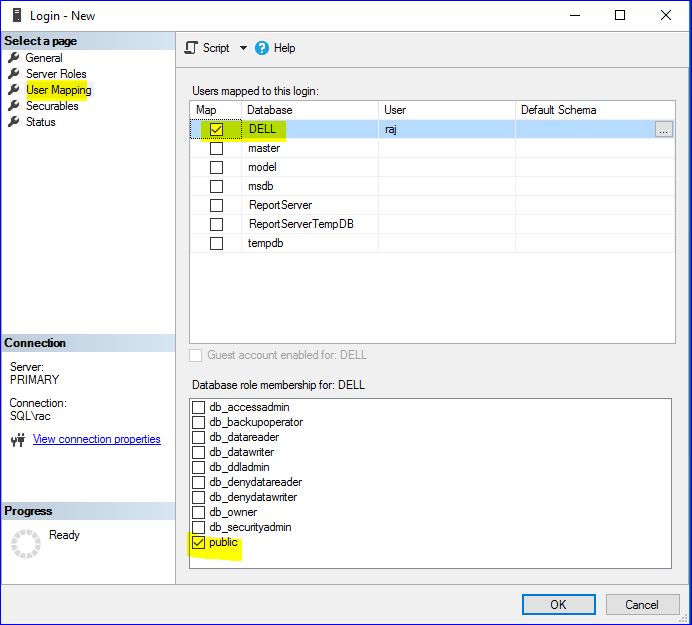
CREATE LOGIN  WITH PASSWORD=N'ted', DEFAULT_DATABASE=[master], CHECK_EXPIRATION=OFF, CHECK_POLICY=OFF
GO
Caution: Your use of any information or materials on this website is entirely at your own risk. It is provided for educational purposes only. It has been tested internally, however, we do not guarantee that it will work for you. Ensure that you run it in your test environment before using.